AI agents, particularly Copilot agents, are increasingly replacing traditional enterprise applications by integrating intelligent assistance directly into workflows. This shift allows users to access powerful tools and insights without navigating complex software interfaces, streamlining processes and enhancing productivity.
By automating routine tasks and providing contextual support, Copilot agents make it easier for teams to collaborate and innovate.
Ultimately this is transforming the landscape of enterprise technology. There is even talk of agents and AI in general disrupting the SaaS space (do a search).
I work with customers in support of Copilot agents (disclosure). So I put this simple primer together partly for my own sense making. I’m also working it into my new trend report as an aspect of the overall enterprise AI trend. Hopefully it helps you too and you can share it further. You can download and share each of the images below or all of them, as a short guide. I have included onward links and references for you if needed.

More here on what is actually called Business Chat in Teams
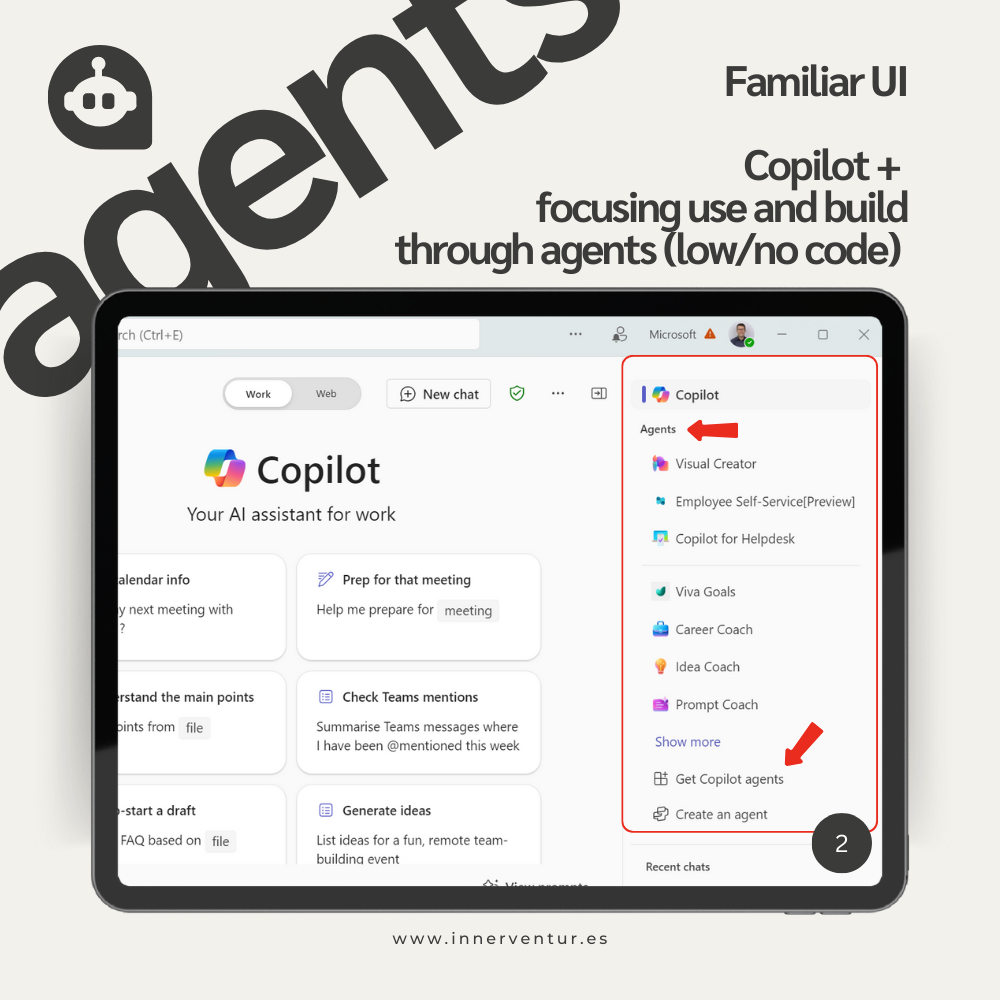
Here is a simple explanation of how to access Agents from Business Chat in Teams. Note this is only one entry point, others covered below.

This article explains how to build Agents with Agent Builder and configure data sources. There is more on how to publish them too.

Actions and Tasks are a little more nuanced and a recent announcement covers these well.

Great video on autonomous Agents.

Great overview of Copilot Studio.
Benefits of agents with Copilot for M365 and Copilot Studio
I also created a simple benefits list. I did use Copilot for this but made substantial tweaks.
- Reach. Empowering business (non-technical users) to create and build agents to solve business needs.
- Enhanced productivity. Automates tasks and optimises processes for strategic focus
- Improved user experience. Seamless integration of agents in a familiar interface
- Accessibility. Consistent support across Teams, mobile, and web
- Extensibility. Tailoring agents to specific business needs
- Simplified management. User-friendly control of use and distribution
- Advanced Analytics. Tools for monitoring and optimizing agent performance
- Seamless integration. Easy integration with 3rd party business platforms

 InnerVentures
Leave a Reply